Aim Assist Mechanics & Sensitivity Calibration
Quick Answer
Aim assist in PUBG Mobile creates a friction zone around enemy hitboxes when aiming. It works best with ADS sensitivity of 50–65% — if your sensitivity is too high, your crosshair passes through the assist zone without benefiting. Always-On Gyroscope works naturally with aim assist. Use AimSync to calibrate sensitivity that aligns with the assist bubble.
Aim assist is one of the most misunderstood systems in mobile shooter history. While casual players view it as a soft aim-bot that locks onto targets, competitive esports athletes treat it as a subtle friction layer that must be carefully balanced with touch digitizer sensitivities. If your camera sliders are calibrated incorrectly, your manual adjustments will actively fight the aim assist bubble, leading to overshooting, tracking stiction, and missed shots.
In this advanced manual, we will dissect the underlying code mechanics of the mobile assist engine, map the dimensions of the targeting collision hulls, and explain exactly how to configure your gyroscope and ADS sensitivity settings to harmonize with the assist framework.
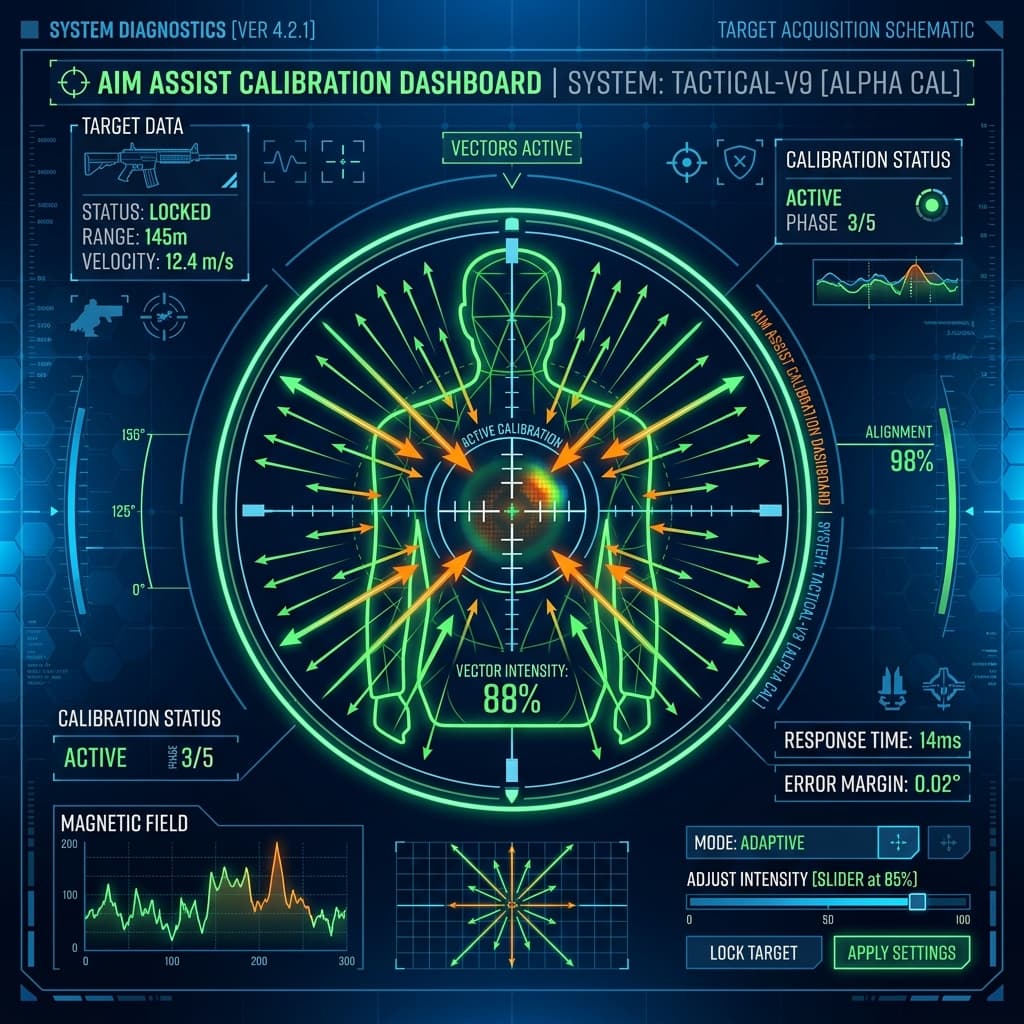
1. The Two Pillars of Mobile Aim Assist
The mobile shooter engine splits its targeting assistance parameters into two separate runtime calculations: **Adhesive Friction** and **Target Attraction**. Both systems scale dynamically based on the distance between your crosshair and the target's bounding box.
- Adhesive Friction: When your crosshair passes over an enemy model, the engine temporarily lowers your active sensitivity by a predefined multiplier (typically 15% to 25%). This creates a "sticky" feel, making it easier to stop swiping once your reticle aligns with the target torso.
- Target Attraction (Rotational Pull): When you are firing your gear and moving the joystick, the engine applies a slight rotational force to pull your crosshair toward the center mass of the target. This pull is strongest at mid-ranges (15m to 45m) and decays rapidly past 80 meters.
2. The Stiction Conflict: Why Copied Settings Feel Floaty
When you copy high-sensitivity profiles from professional players, you often bypass the natural friction boundaries of the targeting assist. If your 3rd Person No Scope sensitivity is set too high (e.g., above 160% on standard display panels), your thumb swipe velocity generates more coordinate shift than the adhesive bubble can damp.
As a result, your crosshair "skips" clean across the target, failing to register the friction stick. To compensate, players tend to jerk their thumbs backward, creating a chaotic oscillation around the target model. This phenomenon is known as **aim stiction oscillation**. The solution is to calibrate your base camera sliders to a threshold where the digitizer input matches the motor speed of the adhesive friction curve.
3. Step-by-Step Calibration Guidelines
To calibrate your sensitivity parameters to align with the assist mechanics, follow this testing ground drill routine:
- Disable Aim Assist Temporarily: Go to settings, disable aim assist, and enter the training area. This forces you to calibrate your raw motor tracking based on hardware performance alone.
- Tuning the Red Dot Camera: Pick up a primary gear (e.g. M416), stand at 20 meters, and track a moving training target. If you consistently lag behind the target, increase your camera sensitivity by **2%**. If you overshoot the target, decrease it by **2%**. Repeat this until you can track the target center mass smoothly without jerky adjustments.
- Re-enable Aim Assist: Once your raw tracking feels consistent, turn aim assist back on. You will immediately notice a strong locking effect. The assist is now complementing your natural finger swipes rather than trying to correct them.
- ADS Recoil Balancing: Since aim assist pulls the crosshair horizontally toward the target torso, it can make vertical recoil sprays feel heavier because your brain splits attention between vertical pulldown and horizontal attraction. To counter this, increase your ADS sensitivity values by **5%** compared to your camera values, ensuring you have enough manual headroom to control vertical muzzle climb.
For further details on how mobile OS kernels process touch input coordinates and swipe friction, review the Android Input Gestures Documentation.
4. Aim Assist Limitations in Competitive Play
While aim assist is a powerful utility for close-combat engagements, it has several technical limitations that competitive players must plan for:
- Knocked Targets Distraction: In team engagements, if an active target passes close behind a knocked player, the attraction bubble can split between the two targets, pulling your crosshair away from the active threat. Calibrating a slightly lower Gyroscope sensitivity allows you to manually force overrides in these scenarios.
- Vehicle Sprays: Aim assist does not lead targets. When spraying at moving vehicles, the assist bubble will pull your crosshair *behind* the vehicle, directly fighting your manual leading adjustments. For this reason, professional assaulters rely heavily on high-sensitivity Gyroscope control, which allows them to easily overpower the assist engine's pull.
- High Ping Penalty: Because the target attraction coordinate adjustments are validated server-side, high network latency (ping above 100ms) will desynchronize the assist bubble. If you play on unstable networks, you must calibrate a lower base sensitivity to prevent your aiming from floating during high-jitter spikes.