The Best PUBG Mobile Sensitivity Settings: Complete 2026 Tuning Manual
Mastering your close-range tracking and long-range sprays requires finding the perfect **PUBG Mobile sensitivity settings**. In mobile battle royale gaming, having slightly miscalibrated sliders can make the difference between securing a chicken dinner and returning to the lobby. While many players copy configuration codes directly from professional esports athletes, they quickly discover that those settings fail to deliver the same precision on their own devices.
The truth is that optimal sensitivity is highly dependent on your specific hardware specifications, display size, and control layout. In this comprehensive guide, we will analyze every component of the setting sliders, provide mathematical tuning formulas, detail recoil control tips, and provide optimized baseline configurations to help you establish a zero-recoil profile. For official updates and game news, check the Official PUBG Mobile Website.

1. Understanding the Sensitivity Layers
Before adjusting your settings, you must understand the distinction between the three primary sensitivity categories inside PUBG Mobile and BGMI:
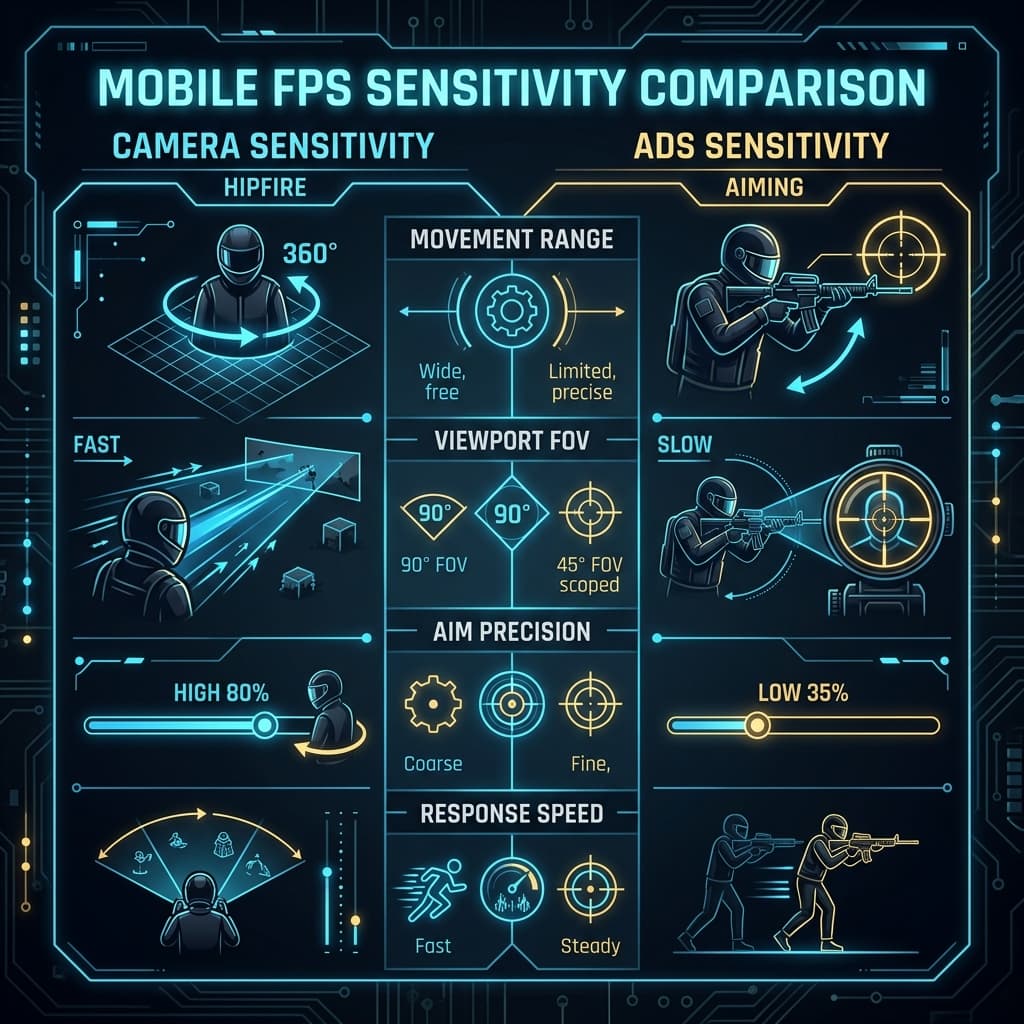
A. Camera Sensitivity (Screen Swipe / Free Look)
This controls how fast your camera turns when you swipe the screen without firing your gear. It determines your target acquisition speed. If this is too low, you will struggle to turn 180 degrees when attacked from behind. If it is too high, you will overshoot your targets while scanning.
B. ADS (Aim Down Sights) Sensitivity
This controls the speed of your camera *while you are shooting* with your fingers. This is the primary mechanic non-gyroscope players use to drag down and control vertical recoil. It is only active during active firing sequences.
C. Gyroscope Sensitivity
This controls the camera rotation when you tilt your device physically. Gyroscope aiming utilizes internal sensors (the mobile accelerometer and gyro) to track movement, allowing you to control recoil and track enemies by tilting your wrists, leaving your fingers free to crouch, scope, and jump.
2. The Best No-Gyro Sensitivity Configurations
If you play with the gyroscope completely disabled, your fingers must handle all camera and recoil controls. Since your thumbs have a limited physical space to swipe, you need higher overall values.
Camera Sensitivity (Standard View)
- 3rd Person No Scope: 120% - 135%
- 1st Person No Scope: 110% - 125%
- Red Dot, Holographic, Aim Assist: 50% - 60%
- 2x Scope: 30% - 40%
- 3x Scope: 20% - 25%
- 4x Scope: 15% - 18%
- 6x Scope: 10% - 12%
- 8x Scope: 8% - 10%
ADS Sensitivity (Recoil Correction)
- 3rd Person No Scope: 125% - 140%
- 1st Person No Scope: 115% - 130%
- Red Dot, Holographic, Aim Assist: 55% - 65%
- 2x Scope: 35% - 45%
- 3x Scope: 25% - 30%
- 4x Scope: 18% - 22%
- 6x Scope: 12% - 15%
- 8x Scope: 10% - 12%
3. The Best Gyroscope Sensitivity Settings (Always-On)
Always-On Gyroscope is highly recommended for competitive PUBG Mobile sensitivity settings. By using wrist tilts for micro-aiming, your overall spray accuracy doubles.
Camera & ADS Gyroscope Settings
- 3rd Person No Scope: 300% - 350%
- 1st Person No Scope: 280% - 320%
- Red Dot, Holographic, Aim Assist: 300% - 350%
- 2x Scope: 250% - 300%
- 3x Scope: 180% - 240%
- 4x Scope: 160% - 200%
- 6x Scope: 90% - 120%
- 8x Scope: 60% - 85%
4. Device Specific Calibrations (Damping Formulas)
Why do these baselines need further adjustments? It comes down to screen density and digitizer latency. We use specific calibration rules to adjust these settings:
* **High-End Flagships (e.g., iPhone 15 Pro, ROG Phone):** These screens support 240Hz+ touch sampling rates. Aiming is highly responsive, allowing you to decrease your sensitivities by **5% to 10%** for tighter groupings.
* **Budget Devices (e.g., under $250):** Lower processing speeds introduce touch latency. Swipes feel delayed. To compensate, you must increase camera and ADS values by **10% to 15%** to make the controls react quicker.
5. Step-by-Step Training Ground Tuning Routine
To fine-tune your configuration, dedicate 10 minutes to this routine daily:
- Adjust 3rd Person No-Scope: Stand at the center of the training grounds. Rapidly flick your crosshair between two targets located 10 meters away. If your crosshair lands past the target, reduce your sensitivity by 5%. If it stops short, increase it by 5%.
- Tune Your 3x Scope (Rifle sprays): Equip an M416 with only a 3x scope (no attachments). Shoot at a 50m target board. Adjust your ADS or Gyroscope sensitivity until the horizontal bullet bounce is minimized and you can easily drag down.
- Sniper Tuning: Equip an AWM with an 8x scope. Try to quick-scope target boards at 150m. Since sniper scopes require extreme precision, keep your 8x gyroscope sensitivity below 85% to prevent breathing movements from shaking your crosshair.
6. Conclusion
Establishing optimal PUBG Mobile sensitivity settings is a continuous process of calibration. Instead of copying codes that don't match your device, understand how touch latency and layout dictate your sliders. Start with the baseline settings provided above, run the training ground routine, and enjoy zero-recoil performance.