Touch Latency & Refresh Rate: How Your Phone Hardware Affects Aim
Quick Answer
Phone hardware affects PUBG Mobile aim through touch latency, gyroscope sensor quality, and display refresh rate. Budget devices need 5–15% higher sensitivity to compensate for slower sensor response. Flagship phones (ROG Phone, iPhone Pro) can run lower, more precise values. Use AimSync to enter your device model and get hardware-calibrated sensitivity.
Why does a sensitivity setup that works perfectly on one device feel sluggish, floaty, or completely uncontrollable on another? The answer lies in the hardware specifications of your phone or tablet. Factors like screen refresh rate (Hz), touch sampling rate, and processor input delay heavily influence **how phone hardware affects aim** in competitive mobile games like PUBG Mobile and BGMI.
In this detailed guide, we will analyze the technical specs of mobile displays, explain touch digitizer polling rates, explore thermal throttling's impact on FPS, and provide a calibration blueprint to match your settings to your hardware tier. For details on how mobile OS kernels process touch digitizer inputs, check the Android Developer Input Gestures Documentation.
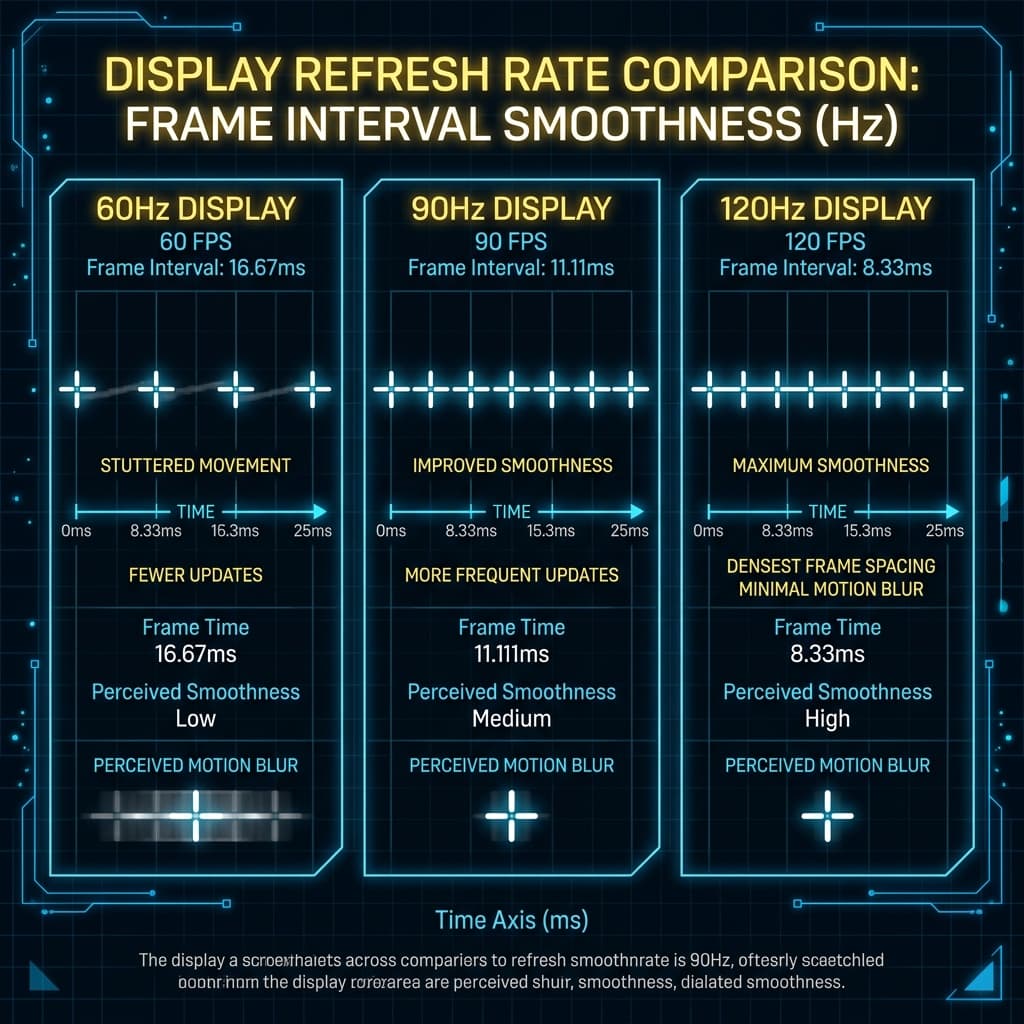
1. Screen Refresh Rate (60Hz vs. 90Hz vs. 120Hz)
Refresh rate represents how many times per second your display updates the image. Most budget phones operate at 60Hz, while gaming flagships (like the iPad Pro, ROG Phone, or iPhone Pro) support 90Hz or 120Hz.
* **Aiming Impact:** High refresh rates reduce visual delay. At 120Hz, movement is twice as smooth as 60Hz. Because your eyes receive visual feedback much faster, your tracking aim feels significantly "snappier".
If you play on a 60Hz display, you experience slight visual delay. To compensate for this visual lag, you generally need to **increase your camera sensitivity by 10%** to allow quick target acquisition, or decrease it if the low framerate makes tracking look too jittery.
2. Touch Sampling Rate (Hz)
Often confused with refresh rate, the touch sampling rate is how many times per second the touchscreen digitizer scans for finger input. For instance, a budget phone might have a 120Hz touch sampling rate, while a gaming flagship boasts 360Hz or 720Hz.
* **Aiming Impact:** A higher touch sampling rate registers minor finger adjustments immediately. With a low touch sampling rate, micro-adjustments are missed, causing your crosshair to feel sticky or make sudden jumps.
If your device has a low touch sampling rate, you should **lower your ADS sensitivity**. High sensitivity combined with low polling rates leads to extreme aiming inaccuracy, as the screen fails to capture small finger micro-adjustments smoothly, leading to pixel-skipping.
3. Processor Latency and Thermal Throttling
Your phone's System-on-Chip (SoC) handles the game calculations. When your processor heats up, it throttles performance, leading to frame drops (e.g., dropping from 60 FPS to 45 FPS).
* **Aiming Impact:** When frames drop, the engine fails to render your movements at a constant speed, making your aiming feel heavy and unresponsive.
If your phone suffers from thermal throttling or frame drops, you should enable gyroscope aim. The gyroscope sensor bypasses some of the display digitizer rendering pathways, which keeps your recoil controls active and functional even during frame spikes.
4. How to Calibrate for Your Hardware Tier
AimSync uses these exact hardware parameters to scale your sensitivity. If you are configuring your settings manually:
- Flagship Tier (120Hz + High Polling): High touch precision allows for **lower, more controlled sensitivity profiles**, relying on the screen's high precision for micro-adjustments.
- Budget Tier (60Hz + Low Polling): Lower touch precision requires **medium-high sensitivity values** with dampening filters on scopes to prevent pixel-skipping.
5. Summary
Understanding your hardware ensures you do not waste time practicing drills with a configuration your phone digitizer cannot physically support. Always search your device specs, identify its limits, and calibrate accordingly.